
Extract text from image - OCR1.0.2 - AppGallery
You'll be able to see results in few seconds.
Publisher Description

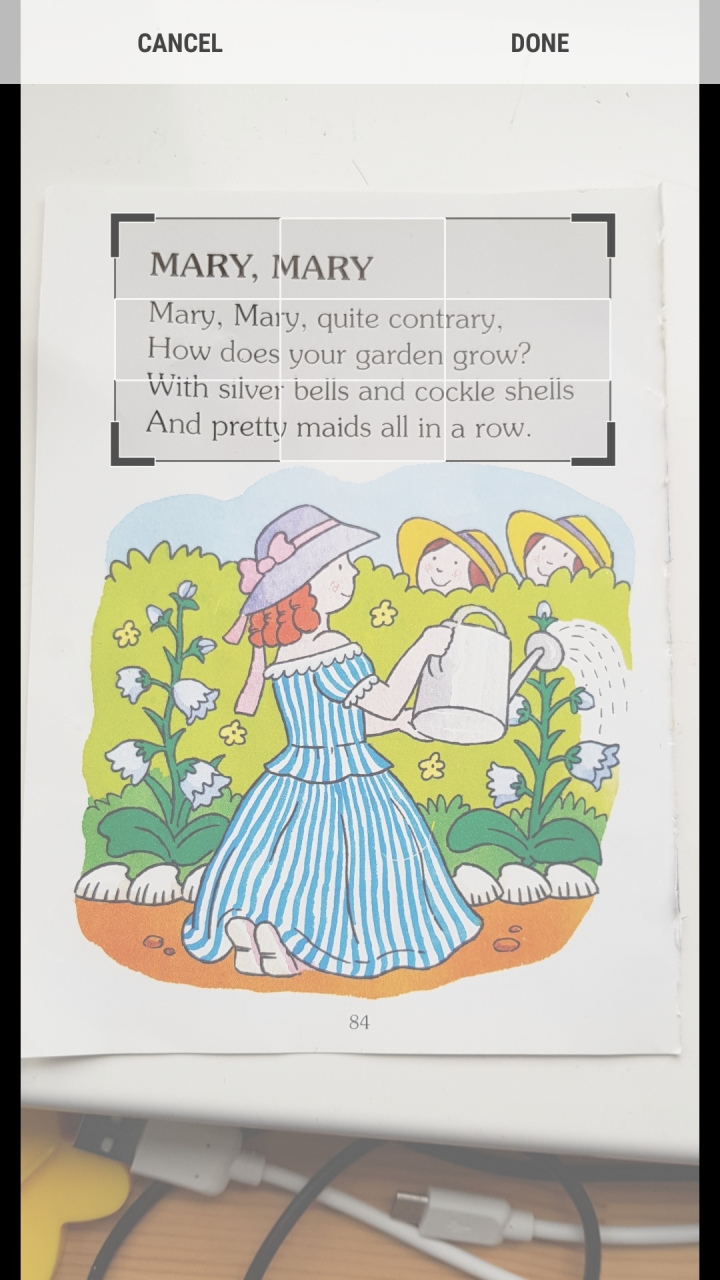

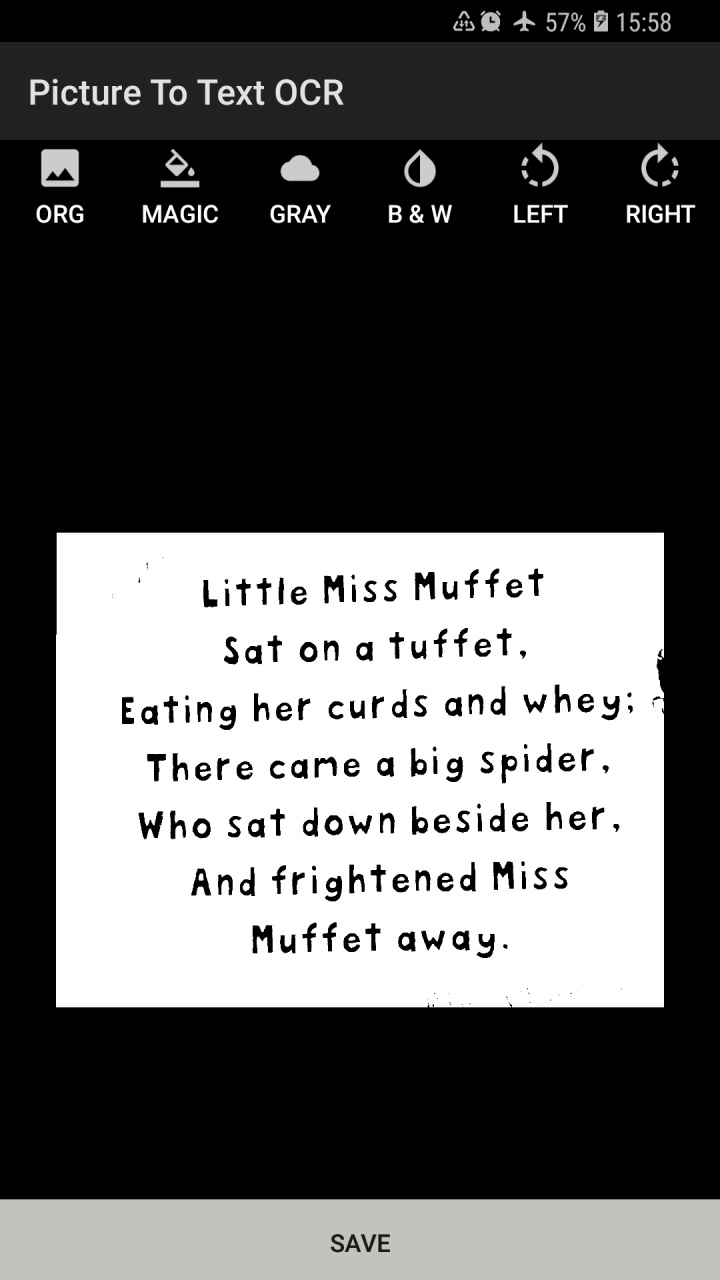
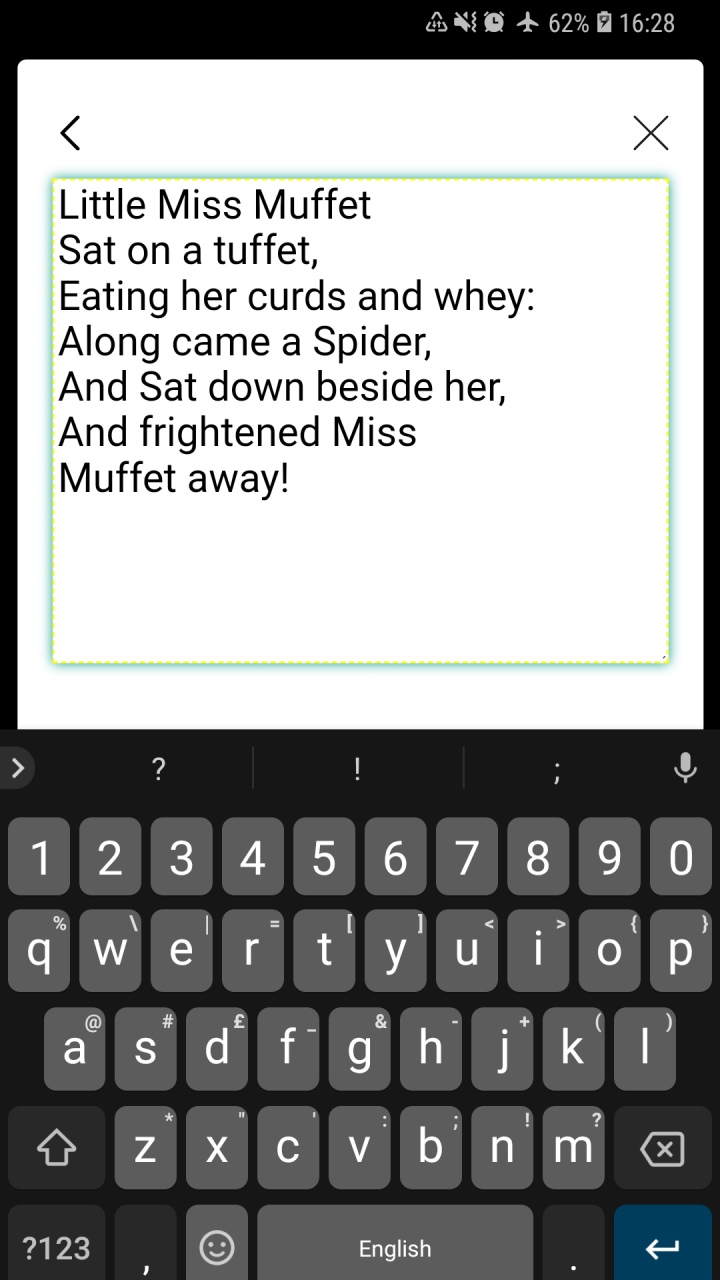
Pull the printed text from a picture - extract words from image and manipulate/copy.
Take a picture with your camera or upload one from your gallery and convert the image into text by extracting text from images using the best OCR technology!
- Take a picture, crop around the words and extract the text!
- Upload a picture, crop and enhance (using B&W or Gray filter) and extract the text!
- Edit the generated text
- Read out the generated text in speech (British accent)
- Copy it (to paste anywhere else)
- View history of previously extracted texts
- Translate the text to a different language (Google Translate)
The clearer the text in the image, the more accurate the text extraction will be.
- When taking a picture to convert to text, ensure the text is positioned straight, well lit, and as clear as possible without other objects in the image.
- When uploading an image, crop around the text you would like extracted and use the black and white or gray filters to enhance readability.
OCR technology is based on Google's Text Recognition API and currently supports the following languages: Catalan, Danish, Dutch, English, Finnish, French, German, Hungarian, Italian, Latin, Norwegian, Polish, Portuguese, Romanian, Spanish, Swedish, Tagalog, Turkish.
Handwriting is not supported and accuracy will vary according to the way the image is presented.
About Extract text from image - OCR
The company that develops Extract text from image - OCR is LondonNut.com. The latest version released by its developer is 1.0.2.
To install Extract text from image - OCR on your Huawei device, just click the green Continue To App button above to start the installation process. The app is listed on our website since 2018-10-19 and was downloaded 0 times. We have already checked if the download link is safe, however for your own protection we recommend that you scan the downloaded app with your antivirus. Your antivirus may detect the Extract text from image - OCR as malware as malware if the download link to C100445429 is broken.
How to install Extract text from image - OCR on your Huawei device:
- Click on the Continue To App button on our website. This will redirect you to Huawei Store.
- Once the Extract text from image - OCR is shown in the Huawei Store listing of your Huawei device, you can start its download and installation. Tap on the Install button located below the search bar and to the right of the app icon.
- A pop-up window with the permissions required by Extract text from image - OCR will be shown. Click on Accept to continue the process.
- Extract text from image - OCR will be downloaded onto your device, displaying a progress. Once the download completes, the installation will start and you'll get a notification after the installation is finished.
Program Details
System requirements
Download information
Pricing
Version History
version 1.0.2
posted on 2018-10-19
Disclaimer
Official AppGallery Link
We do not host Extract text from image - OCR on our servers. We did not scan it for viruses, adware, spyware or other type of malware. This app is hosted by Huawei and passed their terms and conditions to be listed there. We recommend caution when installing it.
The AppGallery link for Extract text from image - OCR is provided to you by apps112.com without any warranties, representations or guarantees of any kind, so access it at your own risk.
If you have questions regarding this particular app contact the publisher directly. For questions about the functionalities of apps112.com contact us.
